CS418
MP2: Terrain Modeling
Results
DEMO
Part 1
Part 2
Goals: Part 1
Terrain Generation
For this MP we will write code to generate a basic 3D terrain. We won’t be using Perlin’s function…instead we will do something conceptually similar but less efficient…but easier to implement.
The first step is to create a flat, triangulated surface in which all the vertices have z coordinates of 0.
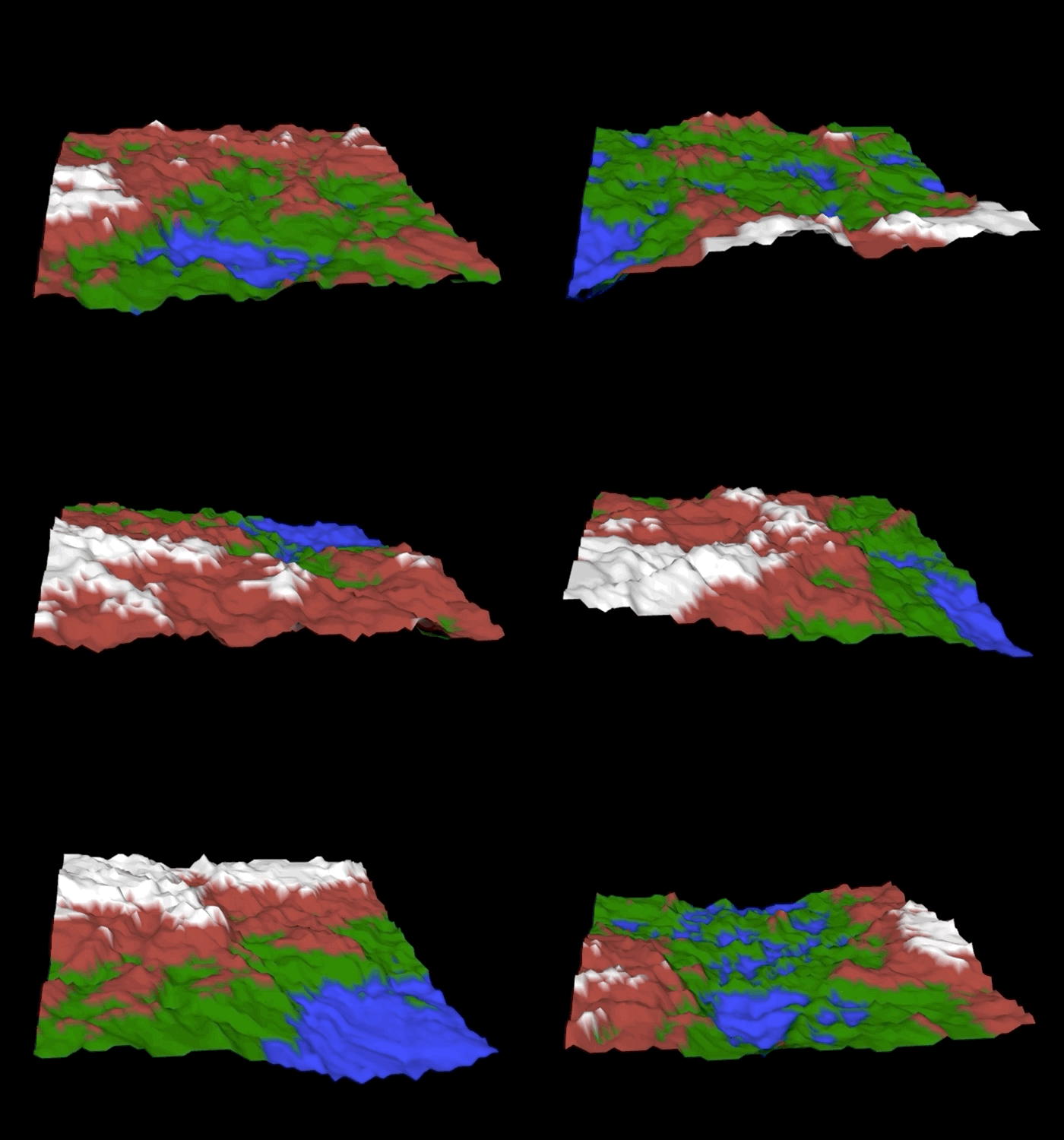
After that we will repeatedly, randomly generate a plane that partitions the vertices. On one side of the plane we will increase the height of each vertex by delta. On the other side, we decrease the vertex heights by delta. After enough iterations, you should see something resembling a 3D terrain.
Here it is without the triangle boundaries, shaded using the Phong reflectance model.
If you wish to extend the basic algorithm to make it better in some way, you certainly can. It would be possible to start with a parabolic sheet instead of a flat plane to create a mountain, or maybe you want to write code that will cut a river through the terrain. Just keep in mind that it should use the random partitioing as a base and look as least good as the images shown in this section.
In order for the mesh to be shaded correctly you will also need to generate per-vertex normals for the mesh. Each normal is a vector perpendicular to the mesh at the vertex, and is computed as an average of the normals of the triangles that surround the vertex. These normals will be another attribute that you will need to send down to the vertex shader.
Implement a perspective view of the scene
Your code should generate a view matrix and a perspective projection matrix in the javascript portion of the app and send them to the vertex shader…and use them to transform the vertices. You should use the glMatrix library functions lookAt(out, eye, center, up) and perspective(out, fovy, aspect, near, far) to generate the matrices. It is up to you to understand how to specify the parameters to generate a good view.
Implement the Blinn-Phong reflection model
Implement the Blinn-Phong illumination model with Phong shading. This means your shading calculations should be done per-fragment…meaning in the fragment shader. You can position your light source(s) anywhere in the scene as long as the rendered images are well-lit. You can use the Lab 3 shader code as a starting point…the completed code implements the Phong relfection model and Phong shading. You will need to understand the difference between the two reflection models and make the relatively minor change to the code to switch it to Blinn-Phong. In addition, you will need to change how the shader handles material colors…you will need to generate a color for the terrain based on elevation as described below.
Implement an elevation-based colormap for the terrain
In your shading calculation, you should assign material colors (the k values in the Blinn-Phong model) to vertices based on the elevation of the vertex. If you use the z-coordinate as elevation, that means you should base your color assignment on the value of the z-coordinate. For example, you could define four different intervals of z values and assign blue to the vertices in the lowest interval, green to the second lowest, brown to the second highest, and white to the highest.
In the image above, you can see interpolation effects as colors are blended together. One way to achieve this look would be to assign the material colors either at the CPU level (in JavaScript) or in the vertex shader (which would be more performant) and pass them as varyings to the fragment shader to complete the shading process.
Or, you could generate material colors in fragment shader…you can implement you linear interpolation based on elevation…or you could decide not to interpolate and to have a stratified appearance or something else more sophisticated.
Goals: Part 2
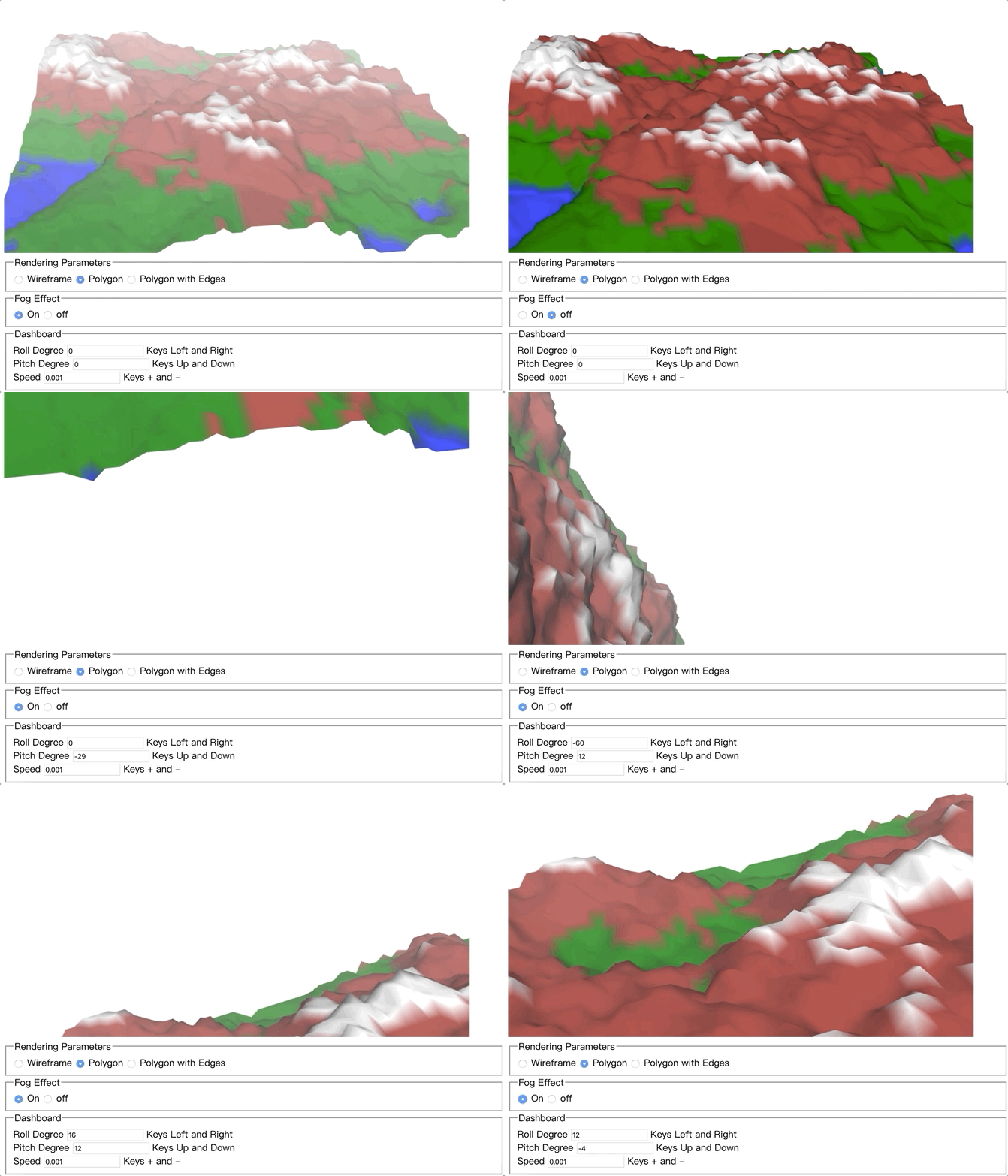
To complete the second Machine Problem, you will implement a simple flight simulator. Your “plane” will fly over the terrain you generate. You will also add the capability of applying fog to your terrain.
The airplane should automatically move forward at a fixed speed. The user will control the bank and tilt of the airplane through the arrow keys.
- Pressing the left (right) arrow key will make the plane roll to its left (right).
- Pressing the up (down) arrow key will cause the airplane to pitch up (down).
- Pressing the + (-) key will increase (decrease) the airplane’s speed You will need to implement the following:
A quaternion based viewing system
The glMatrix library provides support for using quaternions. We would suggest using that library instead of creating your own quaternion class. Note if you are using the example code from this course, that code uses an older version of the glMatrix library. The library downloaded from the course website may not include all of the functions documented in the current API. It is suggested that you donwload the current glMatrix library from the web and work with that version.
A working and documented user interface
You should implement a user interface that minimally implements the arrow-key and +/- key controls described above. You can add additional controls to affect yaw if you wish. Your webpage should include text instructions describing how the user interface works…you can simply include text in the HTML file that will be displyed on the webpage, that explains how to control the view and speed.
A cloud of fog, placed over and around your terrain
The fog computation should be done per-pixel, which means implemented in the fragment shader. Implement a control on the webpage (e.g. a checkbox) which allows the user to turn the fog on and off in the scene. More details about how to simulate fog will be provided in lecture.